acViewer Telemetry Exchange
The number of cars and versions of the same track is so great that it's quite impossible to really compare yourself to others, even on paid services.
That's why Telemetrick Exchange was designed: to share and import telemetry to compare yourself with others on same track version and conditions. You can also use it to practice and improve on a league server before the race.
You can either compare telemetry directly in acViewer with all your local files, or online on the server itself (select some laps in the list on the left, and hit 'Plot' button).
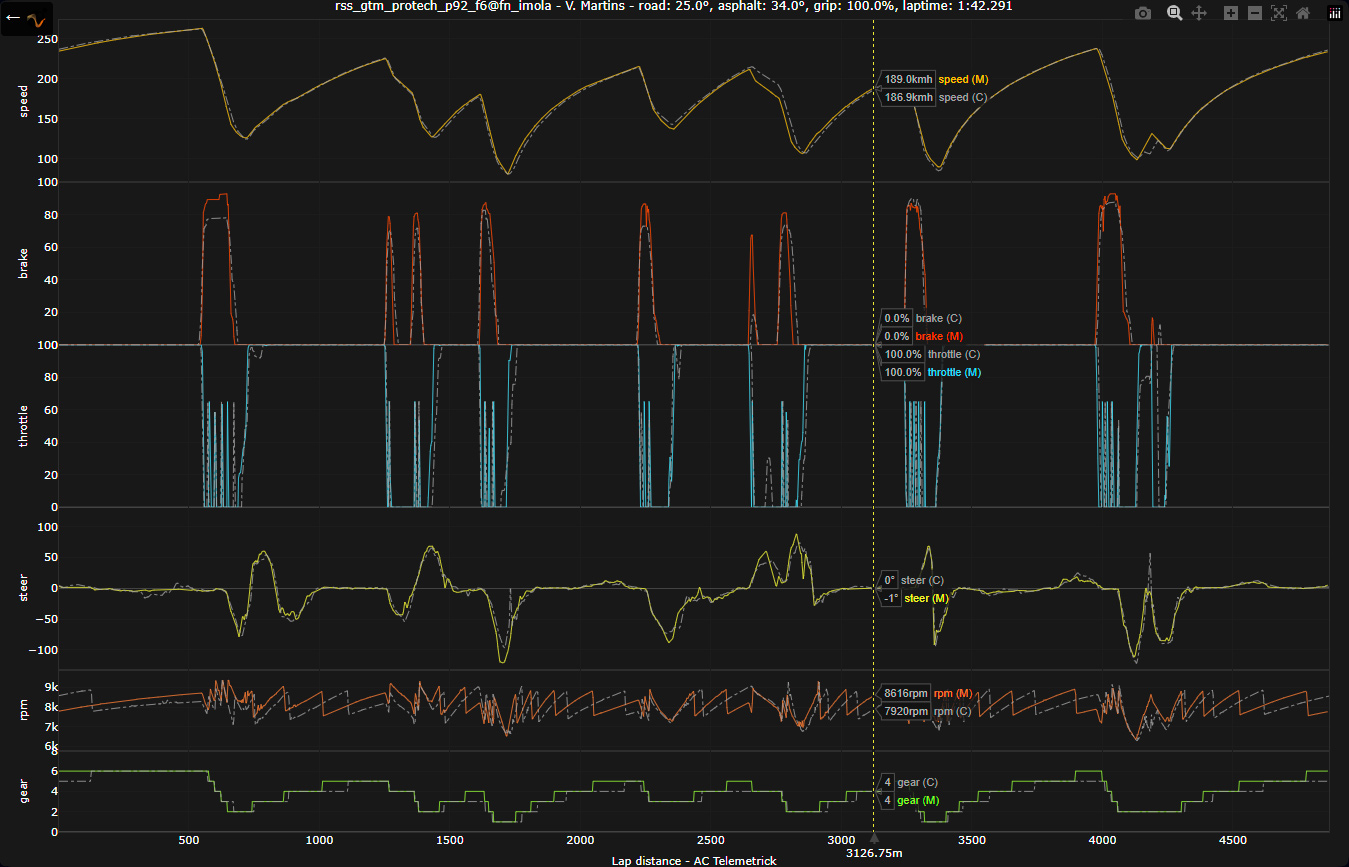
Of course, acViewer Exchange being new (as of 2025 summer), very few files will be available at first. Just ask buddies on leagues to share their fastest lap and do so.
Different scenarios you can use Telemetry Exchange for:
- Show your pace to the world!
- Compare yourself to others!
- Prepare for a league race against the fastest!
- Challenge a friend on a car/track/condition combo!
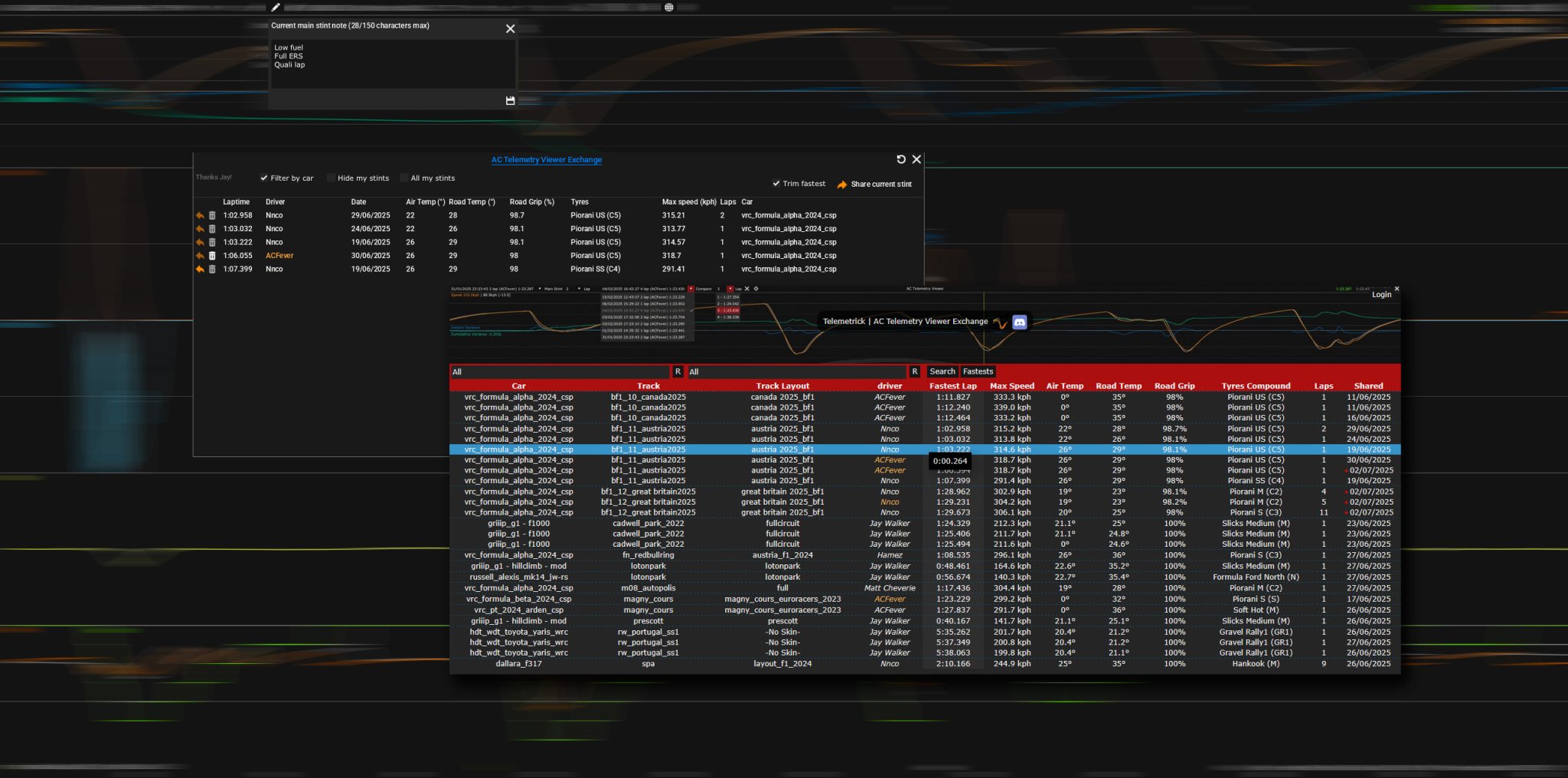
Of course, you need acViewer to be enabled in settings.
As simple as two clicks: Drive a stint, open acViewer and find Exchange button on top bar!
- Click Title bar to open exchange online in a browser.
- Top right, share currently loaded stint.
- For each available online stint, click the left button to import it and directly compare it to your own stint in acViewer!
Anyone can share their stint with the community, whatever car, track, track layout!
- Filter by car: will show stints with same car as yours.
- Hide my stints: you can show your stints that you previously uploaded, with a button to delete them online (no one will be able to import it anymore).
- All my stints: show all yours stints, whatever track / car, allowing to manage them.
- Trim fastest: will upload/share only the fastest valid lap of current loaded main stint.
- Share current stint: well... share currently loaded main stint with eveyrone!
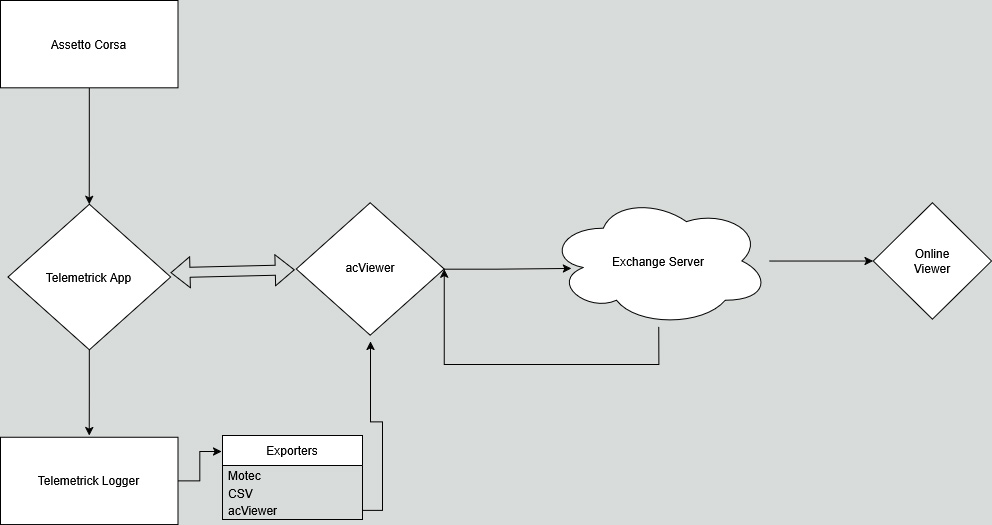
AC Server integration
Since v1.73 you can setup your server for interaction with Telemetrick app, helping your drivers and providing high end tools to your league!
Check doc here
Challenges
Telemetry Exchange is also used for community challenges organized on Discord. These challenges set a specific car, track, and conditions, allowing everyone to run laps, upload their telemetry, and compare performance.
Hotlap solo? Never again! Unlike traditional server racing with fixed schedules, registration, qualifying pressure, and timezone headaches, there's zero commitment here. Life comes first — jump in during your free evenings, lunch breaks, or weekends. Run as many laps as you want, whenever it suits you, and improve at your own relaxed pace. It's competitive practice without the race-day stress: learn from the field's best, experiment freely, and gradually shave seconds. Best part? Challenges never end — revisit old ones anytime, and your laps always slot into the leaderboards!
Each lap uploaded contributes to a shared learning space. You can explore other drivers’ telemetry, either online with Plot feature, or importing other laps into game session acViewer! See where time is gained or lost, and discuss techniques, tips, setup directly with the community on Discord.
Dead simple to join:
- Click any laptime on Exchange to download the Content Manager (CM) preset file.
- Double-click it, hit Apply Only — session auto-loads in your CM Drive page.
Conditions in CM preset: Air/Track temperatures, Track grip, Wind speed/direction, date/time (so everyone get this same sun glare in eyes in that chicane!!).
Join us on Discord for challenge announcements, telemetry breakdowns, setup sharing, feedback, and collaboration — that's where the real progress (and friendly rivalry) happens.
There is challenges for roadcars, GT3, Formula 4/3/2, Hypercars, F1!
Security
For obvious security reasons, There is several check sever side to avoid abuse. For example, you can't delete a stint that is not yours, you can't re-share a stint from another driver, etc.
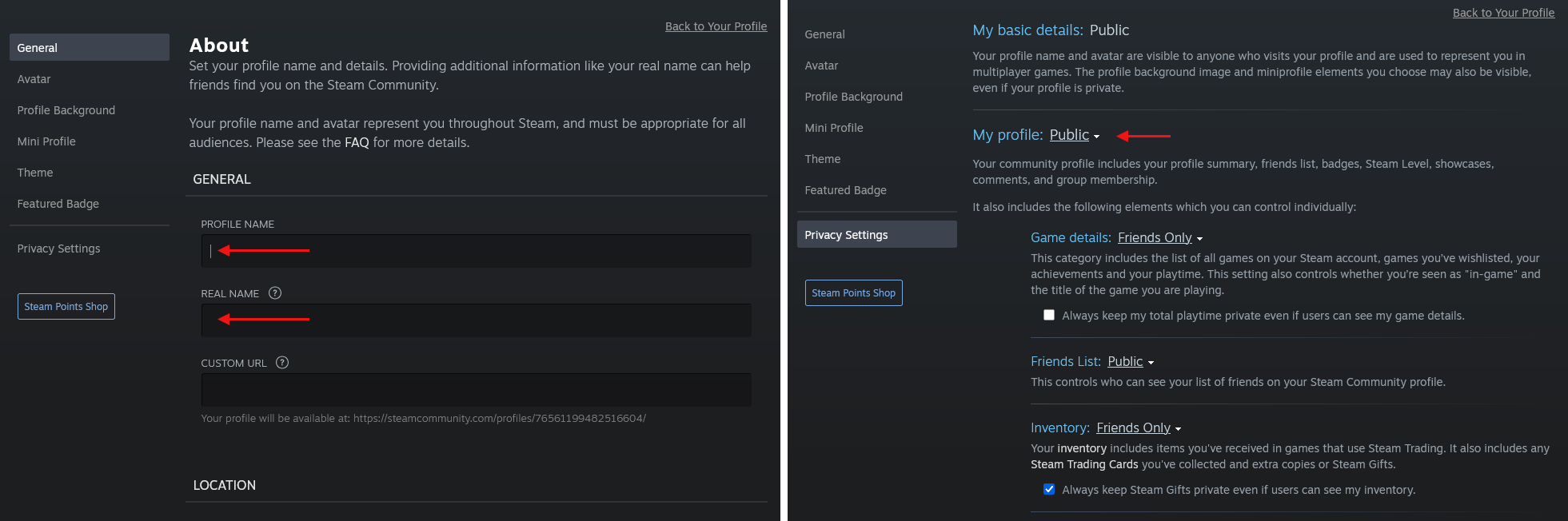
If you want to use Telemetry Exchange using a Steam account that you just recently created, you must set up your Steam Profile. This means more than just creating a new account, you also have to create a Steam Community account.
Once you have created a Steam Account, go to steamcommunity.com, and sign in if you aren't signed in.
Click your top right icon/avatar, and click Edit Profile.
- Set General, Profile Name and Real Name (custom URL and location should be optionnal)
- Set Privacy Settings, My profile, Public
No personnal information is collected nor shared on exchange server or stint files.